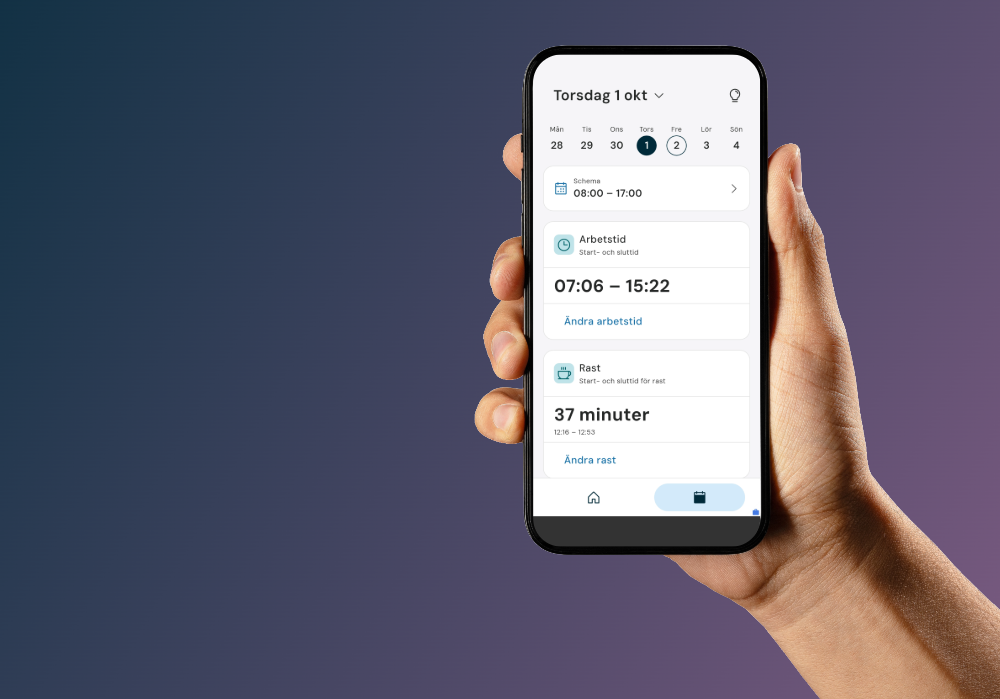
On the bus, between two meetings, or on the go while juggling all your daily tasks. Now you can track your time right in the new Flex HRM app! And more exciting updates are on the way!
In the new Flex HRM app, you’ve already been able to clock in, report absences, check your schedule, and keep track of your receipts. Now it’s time for the next step. Time tracking is up and running, expense management has gotten even smarter, and soon your payslips will be available too. Let’s take a closer look!
Report your hours right here, right now—skip the hassle later
The meeting ran over. Your lunch break was a little longer. The day was split between two clients. It’s pretty easy to keep track of things in the moment, but it’s a whole different story when you have to try to remember it all later.
That’s why we’ve made it really easy to submit your time report right here and now (and not just when you finally have time to log in to your computer). You can:
-
record work hours and breaks with start and end times
-
record absences for all or part of the day
-
mark overtime—such as paid or compensatory—with automatic calculation based on your configured rules
-
allocate work hours to, for example, projects, clients, and invoicing, as well as add comments
-
see if any working hours remain to be allocated
-
mark the day as complete when everything is in order.
Plus, you now have an even better overview of your workday. Now you can see your balances directly in the daily view and get more detailed information about scheduled shifts, breaks, and on-call time. And if something needs to be added before marking the day as complete? You’ll see that, too! In short: less searching and fewer oversights!
The first version of time reporting is designed for those who log the start and end times of their workday (what we usually call “daily reporters”). In the next step, we’ll add support for those who track the number of hours worked, along with more smart features to review and mark time as completed on a weekly or monthly basis.
Help with time tracking from Flexie and the ability to keep track of your reimbursements are also on the way.
Keep track of your colleagues and more ways to clock time
There’s more happening beyond just time reporting! Now you can not only clock in and out but also record absences, switch projects or cost centers, and log overtime. All directly from the app’s home screen, without any unnecessary detours.
And wondering who’s in the office? With the new attendance dashboard, you can see which colleagues have arrived at work, who’s off, and who hasn’t clocked in yet. Plus, you can mark favorites and get a notification when a specific colleague clocks in. Handy when you need to get in touch with the right person!
Learn more about the new features that simplify your clock-in and time reporting.
Your payslip will be in your pocket soon
Payday at last! But how much was that overtime pay last month? Just pull out your phone and check—right from the couch, the bus, or the break room.
Very soon, your payslips from Flex HRM Payroll will be available in the new app. In addition to viewing your most recent payslip, you can also browse past payslips or open and download your payslip as a PDF.
Expense management, made easy
Does expense management have to be complicated? Not if you ask us! We’ve now made it even easier to manage your expenses right in the app, with smoother workflows and better organization of receipts and expenses. You can see which travel expense report the expense is saved under and easily link it to the right project or client.
In the new expense view, expenses are also grouped by travel expense report, so you can easily see what belongs together. Once everything is in order, you can mark the entire travel expense report as complete with a single swipe.
Paid with a company card? Then mark the expense as paid by the company so the money isn’t accidentally reimbursed to you.
And how much do you have left to spend on wellness? You’ll see that right away when you enter the expense, or you can ask the AI agent Flexie. Choose whether you want to scan the receipt yourself or let Flexie help you create the expense. Need to make a change? Just take care of it directly in the app.
And there’s more on the way! In the future, you’ll also be able to log per diem for business trips within Sweden and reconcile credit card purchases right in the app.
Learn more about the new features that simplify expense management.
See the app in action!
Want to see how the app works and what the AI agent Flexie can do for you? Check out our short video (in Swedish)!
Curious to learn more? On December 1, we’ll be hosting a tour of the app and sharing more about the latest updates (in Swedish). 👉 Reserve your spot for the webinar.
Do you have questions or concerns about the app or any other part of our comprehensive Flex HRM solution? Get in touch with us!


