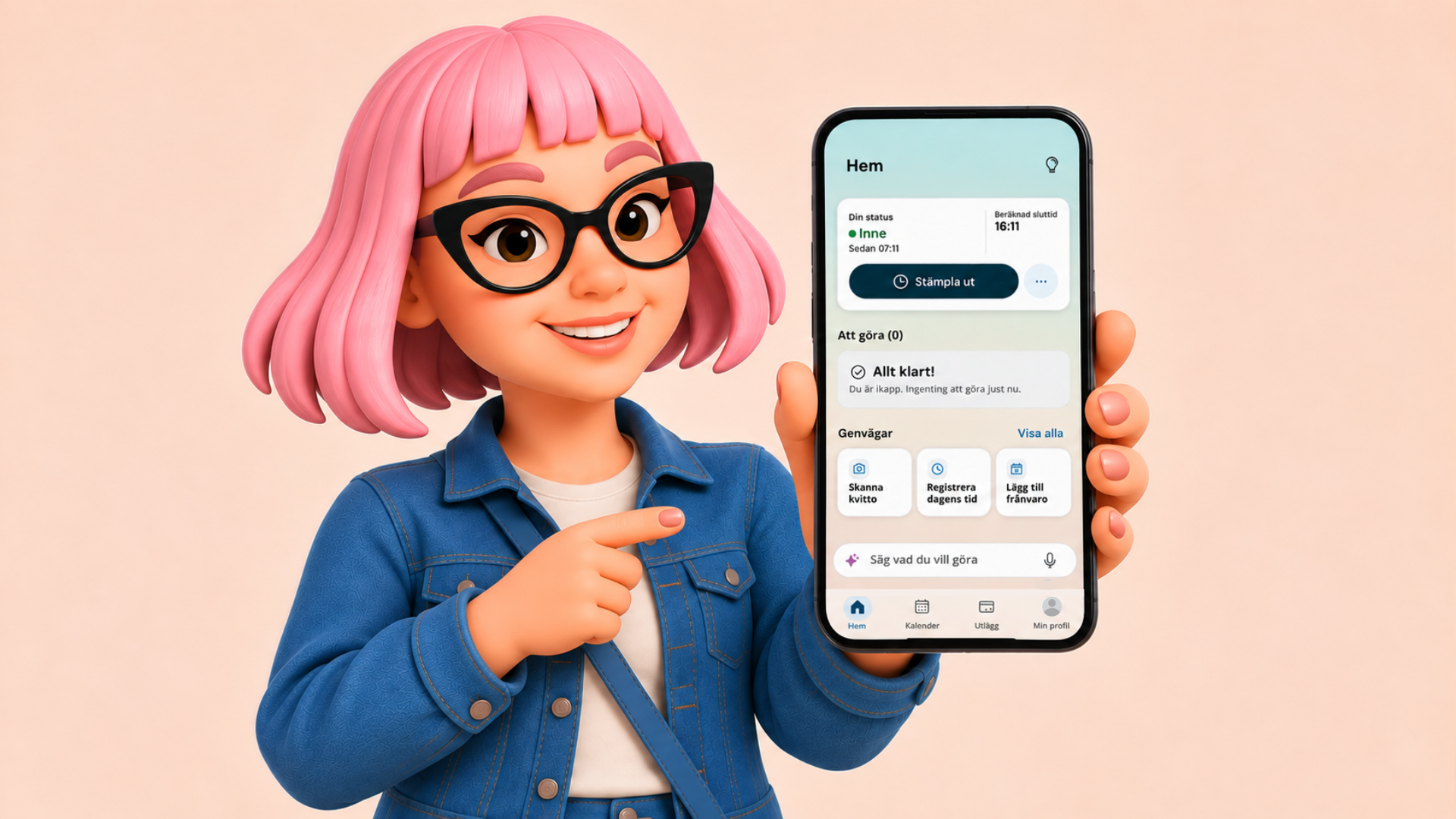
More tools for your time tracking. A home screen that shows you what you need to do. Time clock functionality that automatically selects the right project. And your pay stub right at your fingertips. This fall, the Flex HRM app has gained a host of new features to streamline your day-to-day administrative tasks. Here’s the latest news!
Time tracking is becoming more and more comprehensive
Since time tracking was introduced in October, we’ve continued to expand its features. This means you can now handle most of your daily time tracking directly in the app, whether you’re logging work hours with start and end times (daily reporting) or reporting the total number of hours (periodic reporting).
In addition to reporting work hours, breaks, absences, and overtime, you can record reimbursements, allocate hours to projects and clients, and mark everything as complete when it’s all correct. You’ll also be able to clearly see if anything needs to be added. Another smart new feature is that the app can automatically select the correct account based on your location when you clock in. Less to worry about and fewer reporting errors!
Read more about the new features.
Weekly and monthly views provide a better overview
With the calendar’s weekly and monthly views, you can quickly get an overview of your time reporting without having to go into each individual day. You can immediately see if anything is missing, what needs to be addressed, and when you’re ready to mark it as complete. Here, you can:
- see which days are complete and which need to be finished.
- get an overview of your balances and absences.
- mark as complete on a weekly or monthly basis, if your settings allow it.
- receive a reminder when it’s time to mark a period as complete.
Better visibility right on the home screen
The app’s home screen has also had an upgrade! Now you can see right away if you have pending tasks, such as a time report that needs to be marked as complete. You can also choose which shortcuts you want on the home screen, so you can quickly access the features you use most.
And do you need help from the AI agent Flexie? Type or say what you want to do right from the home screen.
Payslips are now available!
Another long-awaited update is that payslips are now available in the app!
If your employer uses Flex HRM Payroll, your most recent net pay and payday are displayed via a shortcut on the home screen. From there, you can also view previous pay periods and open or download your pay slips as PDFs.
Do you already have access to your pay stubs in Flex HRM on the web? Then you’ll automatically have access to them in the app!
A Smarter Way to Manage Expenses
There have also been a lot of changes in expense management. You’ve long been able to scan receipts, record and edit expenses, and compile them into travel expense reports. Now we’ve also made it easier to enter the correct information from the start and keep track of what needs to be completed.
New features include:
- Account assignment upon entry. Link the expense to the correct project or cost center right from the start.
- Corporate card reconciliation. View your card transactions and link them to the correct expense directly in the app.
- Reminders to mark as complete. Get a reminder when you have expenses or trips that need to be marked as complete before the deadline.
- Better overview. See which details need to be completed and mark the entire travel expense report as complete in one swipe.
- Domestic business travel. Record your business trips within Sweden and view your estimated per diem directly in the app.
Learn more about the new features.
And the development continues
Soon, you’ll be able to, among other things:
- send messages to coworkers
- review and approve timesheets as a manager
- record international travel with automatic calculation of per diem
- have travel time automatically calculated for domestic business trips
- record more types of car trips, including those made with a company car
- attach multiple photos or files to the same expense report
See the app in action on December 1!
Want to see the new features in action? On December 1, we’ll take you on a tour of the new Flex HRM app, showcase the latest updates, and share tips on how Flexie can simplify your day-to-day.
Please note: The webinar will be held in Swedish and will focus on Swedish regulations and practices.
👉 Read more and reserve your spot
Questions or concerns about the app? Feel free to contact us!